10 Essential Tips For Safe Online Shopping
Shopping online is part of daily life for lots of people, but staying safe while doing it sometimes gets overlooked. I’ve run into a few surprises over the years—fake shops, suspicious deals, and sketchy pop-ups—so I’ve learned that following some basic safety steps really keeps your money and info protected. Here’s a guide packed with my favorite tips for safe online shopping, geared towards anyone from casual shoppers to deal hunters who love snagging bargains safely.
Why Safe Online Shopping Really Matters
Convenience draws people in, but online shopping can come with risks if you’re not careful. Think stolen personal info, scam sites, or fake products. News about online fraud pops up regularly, and the numbers keep going up every year. The Federal Trade Commission reported that consumers lost billions to online scams and identity theft last year alone. So, protecting yourself while browsing or paying online is pretty important if you want your experience to be hassle-free and your bank accounts untouched.
Sometimes, the biggest threats aren’t high-tech hackers but simple tricks, like fake store websites or emails that look almost exactly like the real deal. I’ve seen friends accidentally buy from lookalike sites or fall for offers that seemed just slightly too good to be true. These experiences made me realize that safe online shopping isn’t only about having antivirus software; it’s about staying alert and making smart choices every step of the way.
Get Started! 10 Tips For Safer Online Shopping
Thousands of options can make it tough to spot risks at first, but starting with these simple tips helps you avoid most online problems.
- Shop From Trusted Websites Only: Stick with well-known retailers or brands you recognize. If I’m trying a new shop, I always check online reviews and make sure there’s real contact info—like a customer service phone number or address—on their site.
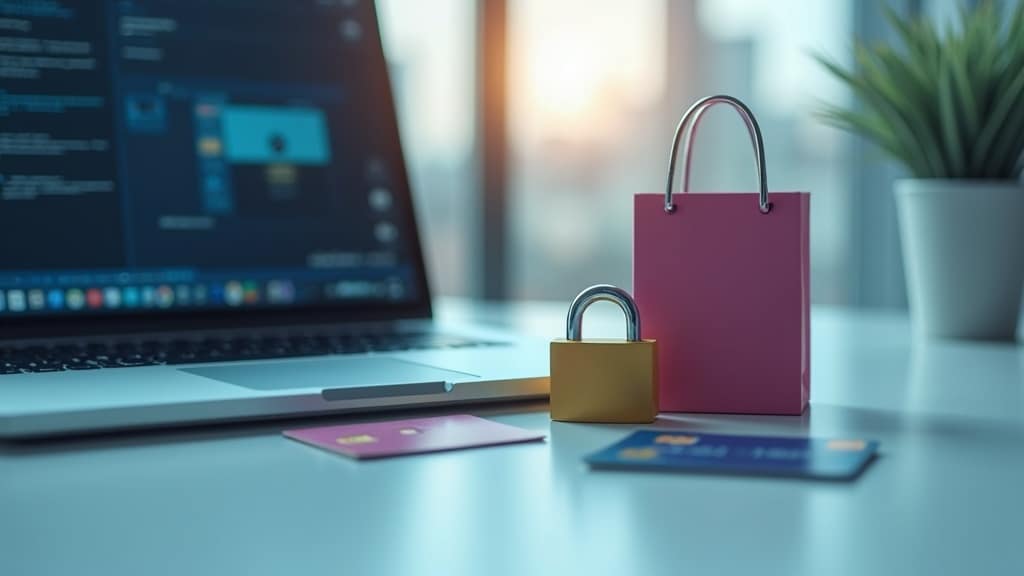
- Always Look for Secure Connections: When checking out, the webpage should start with “https” (not just “http”) and have a padlock in the browser bar. This extra “s” means your payment data is encrypted and much harder for anyone to steal.
- Avoid Public WiFi for Shopping: Never log in or make purchases over free coffee shop WiFi. Hackers hang out on these networks, hoping someone will type in their card details. I stick to my home WiFi or use my phone’s data if I’m out.
- Use Strong, Unique Passwords: It’s tough to remember lots of passwords, but using the same one for every shopping account is risky. I use a password manager to keep my details straight and safe.
- Don’t Save Payment Info on Sites: Even if it saves time, skipping the “Save Card” button keeps your card details off more servers. Breaches can and do happen, so it’s safer to enter your payment details for each purchase.
- Be Wary of Suspicious Links & Emails: Scammers love sending fake deals through emails, texts, and ads that look real. I always hover over links to check where they really go before clicking, and I delete emails that seem fishy or ask for personal info.
- Check & Monitor Statements Regularly: Looking over your credit card and bank statements can catch strange charges early. I set up alerts for purchases on my card so I get notified right away if something odd happens.
- Use Credit Cards or Secure Payment Methods: Credit cards and trusted payment services, like PayPal, give better fraud protection and make disputes easier if something does go wrong.
- Update Devices & Software: Keeping your phone, computer, and browser updated means you get the newest security fixes. I set updates to install automatically so I don’t forget.
- Research Return and Privacy Policies: Before buying, I read the store’s return policy and check how they handle my personal info. If a shop hides this info or makes it hard to return things, that’s a warning sign.
These tips might seem basic if you’re used to shopping online, but missing any of them can leave you open to trouble. I’ve had a few close calls, and these steps truly make a difference.
What Makes an Online Shop Safe?
Spotting a legit online shop is a skill that pays off. Safe websites take your privacy seriously and are upfront about their address, policies, and customer service options. There’s usually a clear privacy policy linked at the bottom of each page and an FAQ section explaining shipping, payment, and returns.
Payment security is an area I always check. Secure websites use third-party payment tools (like PayPal or Stripe) and show trust badges; just don’t trust those badges blindly since scammers sometimes fake them. Real secure sites will link those badges to verification details or respected certification organizations.
Contact options are another clue. Real brands always offer a valid physical address, customer support email, or live chat, not just a contact form. I avoid shops that look like they’re hiding who they are or only offer a vague form to fill out. Looking for reviews about their customer service, too, can give you an idea of how responsive and legit a business is before spending your cash.
Understand Online Shopping Risks (and How to Avoid Them)
Knowing what you’re up against makes staying safe less stressful. The main threats I run into are:
- Phishing Sites: Sometimes a scam site copies a real store almost exactly. Double-check URLs and bookmark favorites. If you spot spelling errors or weird layouts, proceed with caution.
- Fake Product Listings: Too-good-to-be-true prices or blurry images can be signs of counterfeits. Search the product separately from the retailer’s name to see if other sites carry it and what the usual price range looks like.
- Identity Theft: Sites that ask for too much info, like social security numbers, should be avoided. Reliable shops usually only need your address and payment info.
Staying informed about these tactics helps you spot red flags before you spend anything. Reading online reviews and even checking the Better Business Bureau can offer extra reassurance, so it’s worth doing a quick search if in doubt.
Extra Security Moves Every Shopper Should Know
A few extra steps make your defenses even stronger. I’m always looking for new tricks to give my online safety game a boost, and these are favorites in my routine:
- Turn On Two-Factor Authentication (2FA): If a store account offers 2FA, I enable it. It takes a few extra seconds at login and adds a big security boost.
- Use Virtual or Disposable Credit Cards: Some banks let you make single-use card numbers for online shopping. These are great for trying unfamiliar shops and make it impossible for a thief to use your real number.
- Set Spending Limits: I set a lower limit on cards I use mainly for online purchases, so if my details do get stolen, my main accounts aren’t at risk.
- Use Browser Extensions Wisely: Some browser extensions can block malicious sites or spot fake stores. Tools like HTTPS Everywhere (for secure connections) or uBlock Origin (to block ads) are worth checking out, and they don’t slow down your browsing either.
Common Mistakes That Make Shopping Less Safe
Everyone slips up at some point, but knowing the most common mistakes helps you avoid them. I’ve been burned by some of these in the early days myself:
- Rushing through checkout and missing a typo in the website address
- Clicking links in shopping emails without checking the sender, especially during busy sale periods
- Using simple passwords like “password123″—big mistake
- Not updating your browser or antivirus—leaving easy openings for hackers
It’s easy to fix most of these habits just by taking an extra minute to double-check things before buying. Building an all-in-one checklist for yourself helps these safety tricks become second nature as you shop.
What to Do If Things Go Wrong
If you notice anything odd, like unauthorized charges or a store vanishing after you buy, act quickly. The first thing I do is call my bank or card company to report anything suspicious. Most have 24/7 fraud lines and can freeze your card or reverse a charge fast.
Next, I check in with the store’s customer support. If that doesn’t resolve it, I file a complaint with the platform (like Amazon or eBay), or with agencies like the Federal Trade Commission. Changing passwords, enabling extra security, and scanning my devices for malware are also smart moves whenever something feels off. A quick check to see if hackers installed malicious software can keep trouble from spreading beyond the single shopping incident.
Practical Applications (and How These Tips Play Out Day-to-Day)
Here’s how these tips show up in real life. On Black Friday or any big sale day, scam ads explode, so I double-check for misspelled URLs, weirdly low prices, or sellers with almost no history. If a shop asks for way more info than needed, I move on. Shopping safely can take an extra minute, but I’d rather avoid headaches later on.
I’ve also seen the long-term benefits of switching to credit cards for all online purchases. Disputing a bad charge is way easier, and I get alerts right away if someone tries something sneaky. Plus, using deal-tracking sites and cashback tools can give your wallet a little boost, so safe shopping doesn’t mean missing out—it just means making the most of every purchase without risking your sensitive info.
Frequently Asked Questions
Question: Is it safe to shop online with a debit card?
Answer: While debit cards work, using a credit card or PayPal gives you better fraud protection. Debit cards pull cash straight from your bank, so it’s trickier if someone steals your info.
Question: What’s the safest way to pay for stuff online?
Answer: Credit cards and reputable payment services like PayPal or Apple Pay are both safe bets. Never wire money or use gift cards to pay online shops; it’s nearly impossible to get your cash back if something goes wrong.
Question: How can I tell if a website is a scam?
Answer: Watch for bad spelling, weird checkout pages, or missing contact info. Always look for https, a padlock symbol, and read reviews before buying. If prices are way lower than other sites, be cautious.
Take Control of Your Online Shopping Safety
Safe online shopping isn’t complicated if you keep a few key habits and watch for obvious red flags. Building your own routine with these tips means you’ll enjoy deals, stumble upon cool new shops, and avoid the sneaky pitfalls that catch so many people out. Shopping smart keeps your personal info and your peace of mind intact.
Smart Shopper Guide GPT
Your dynamic, eco-conscious shopping assistant for personalized, sustainable choices.
Thank you for spreading the word!
Create your own website
And learn how to monetize it

Heads up! If you’re looking to join Wealthy Affiliate, make sure you sign up using my referral link to get access to my personal coaching and all WA features."