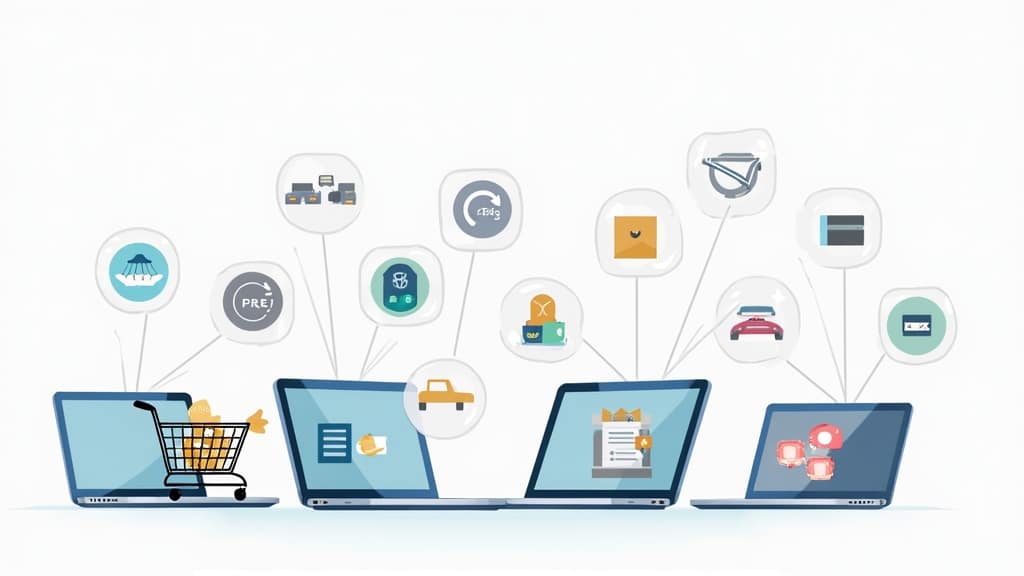
How To Navigate Online Marketplaces Like A Pro
Finding your way through online marketplaces can sometimes feel like a maze, but that doesn’t have to be the case. Learning how to snag great deals, avoid scams, and actually get what you paid for will come easy once you know what matters most. Over the last few years, I’ve picked up plenty of practical tips from regular buying, selling, and a fair bit of trial and error. Here’s my friendly guide to help you shop smarter, sell confidently, and really get the most out of sites like eBay, Amazon, Etsy, and other major players in online buying and selling.
Understand How Online Marketplaces Work
Online marketplaces are digital platforms where lots of sellers showcase their products or services to buyers. Think of them as modern-day bazaars packed with choices rather than just a single brand’s storefront. Amazon, eBay, and Etsy are some of the top names in the space, but plenty of niche or regional sites exist for every interest and location.
Every marketplace has its own set of guidelines for payment, shipping, returns, and dispute resolution. Take Amazon for example—many aspects of shipping and customer service happen through them, while with Etsy or eBay, the individual seller might personally take care of details. Grabbing a clear understanding of how each platform handles these things will save trouble down the road, so it’s helpful to browse through their help sections when getting started.
Get Started with,Account Security and Safe Shopping Basics
Before you make your first purchase, your digital setup matters. Pick a secure email and use a strong, unique password for your accounts. Add two-factor authentication where you can; it gives your account an extra security boost. When checking out, stick with payment platforms that offer buyer protection, like PayPal or the marketplace’s own checkout system, to lower your risk level.
Shopping is easier when you get familiar with your dashboard. Most platforms let you customize search filters, follow your orders, and message sellers right from your account panel. Learning these basics at the start makes the whole process much more convenient for both buyers and sellers down the road.
Smart Browsing? Nab the Best Deals from Trustworthy Sellers
Whether you’re after the latest tech or a rare collectible, using search filters wisely will save you a ton of time. I like to sort by price, shipping speed, or customer ratings to lock in on what truly fits my needs. Don’t ignore advanced search options—tweaking your filters or adding a location can reveal hidden gems and local sellers you’d otherwise miss.
- Seller Ratings: Always take a look at the seller’s feedback or reputation score, and don’t just glance at the average; read some recent buyer comments for real talk about their service.
- Return Policy: Check the return and refund details before you buy, so you know what to expect if things aren’t right.
- Compare Listings: Find a few listings for the same product, then compare photos, descriptions, and delivery timelines. This quick scan helps you avoid overpaying.
Make Secure Purchases
Staying safe while shopping online means keeping an eye out and paying attention to the little things. Always use the marketplace’s official checkout; sidestepping to outside payment methods can void your protections completely.
- Review Product Listings Carefully: Read every letter in the description, and look over all the photos. If the details seem thin, don’t hesitate to ask the seller questions.
- Watch for Red Flags: Ridiculously low prices, grainy photos, and bad spelling or grammar often mean something’s off.
- Payment Protection: Most big marketplaces have some kind of buyer protection or escrow-like system, keeping your money safe until your item shows up and matches expectations.
- Only Share Needed Info: Never hand over extra personal details—just what the site or sale needs to complete your transaction safely.
With those steps handled, you’ll feel more confident with your purchase—no matter how big or small.
Challenges To Watch For
Even the best-run marketplaces have quirks or bumps in the road. Here’s how I handle some of the most common hurdles:
- Shipping Delays: Delays can crop up, especially with international buys. Be sure to check delivery estimates and seller location before confirming. Reputable sellers usually provide tracking details, which helps keep you in the loop.
- Item Not As Described: Snap screenshots of listings before you buy, then compare when your package arrives. If it doesn’t match, use the dispute or resolution center on the site to get a refund or replacement.
- Scams and Fake Listings: Deals that seem too good to be true usually are. I skip sellers with no feedback, just-created accounts, or those who suggest strange off-site payments.
- Communication Issues: Some sellers are in other countries or speak different languages. Be patient, use clear language, and give them some time to reply—most mix-ups can be fixed with simple communication.
Shipping and Tracking Tips
For anything valuable or time-sensitive, always pay a little extra for tracked shipping. I save all tracking numbers until delivery is confirmed, since these numbers help speed things up if you have to file a claim for a missing package.
Return and Refund Know-How
Returns can be tricky, especially when ordering from another country. Always check the shop’s return details before you buy. Some marketplaces give prepaid return slips or will refund you as soon as you upload your postage receipt. Keep all your messages and receipts saved—you might need them during a dispute down the line.
Tips for Selling on Online Marketplaces
Even if you only plan to sell a few things, listing online is surprisingly enjoyable and can bring in extra cash. Here are the habits I’ve used to make my items move faster with fewer bumps:
- Take Clear Photos: Good lighting and simple backgrounds make your listing stand out. If your item has any flaws, show them honestly up front.
- Write Straightforward Descriptions: List the size, model, and any details buyers need. A simple list of key facts gives shoppers more confidence in your offer.
- Price It Right: Search for similar items online to get a rough idea of pricing. If you’re unsure, start with a “best offer” or auction format to test the waters.
- Handle Shipping Carefully: Sturdy packaging matters—a lot. Always give tracking if you can, and send out shipment notifications quickly after the sale.
- Respond Promptly: Fast, friendly responses help you build your good reputation and keep sales moving.
Common Online Marketplace Questions
If you’re just getting started, you might wonder about these things too:
Question: How do I spot counterfeit products?
Answer: Compare what you see on the listing to the brand’s official information. Take a close look at photos, check pricing against normal retail stores, and keep an eye out for any weird packaging or spelling mistakes. Sketchy details signal it’s time to keep shopping.
Question: Can I trust international sellers?
Answer: Many international sellers are honest and reliable, but always read feedback and look at their ratings. Double-check the fine print for shipping times and costs. Opt for tracked shipping, and always read up on the seller’s return and refund policies before you check out.
Question: What if my package never arrives?
Answer: Ping the seller first—sometimes shipping just takes longer than expected. If there’s no answer after a few days, get the marketplace customer support involved. Most step in fast and help you either get a refund or track things down.
Useful Tools and Features Online
The big names in online marketplaces pack handy digital tools to streamline your experience. Things like wishlists, price alerts, saved searches, and mobile notifications are great for landing deals quickly. Some platforms let you build watchlists or follow specific sellers, so you know as soon as new stuff drops.
Browser extensions can scan for price history or compare offers automatically, giving you an extra edge against fake discounts or sudden price changes. If you want to automate your hunting, here’s what to use:
- Saved Searches: Be first in line for rare items, flash sales, or specific products without checking back all the time—these features ping your phone or email when there’s a match.
- Built-in Messaging: Most marketplace platforms have dedicated messaging tools to keep your private info secure while you chat directly with buyers and sellers.
- App Push Notifications: Catch time-limited deals or discounts the second they go live using marketplace app alerts.
Trends and Where Online Marketplaces Are Headed
Online marketplaces are always changing things up. Lately there’s lots of focus on local selling—think Facebook Marketplace or OfferUp—which makes it easy to buy and sell stuff right in your neighborhood using cashless payments. Many sites are stepping up their verification and buyer protection procedures, too, to cut down scams and smooth the whole process for everyone.
There’s also a push toward ecofriendly shopping. New filters help you find thrifted or secondhand goods with less hassle, letting you save money and reduce your carbon footprint in one click. If you love supporting creative makers, platforms like Etsy keep the spotlight on indie businesses and unique handmade finds, helping you track down original art, clothing, and gifts.
The smartest buyers and sellers count on a mix of careful research, common sense, and a good eye for bargains. By staying sharp and using site features wisely, you’ll find online shopping and selling is not just safer but actually pretty enjoyable. Once you get the hang of it, online marketplaces can open doors—whether you’re on the hunt for hard-to-find collectibles, offloading old gadgets, or just stretching your budget for everyday buys.
Smart Shopper Guide GPT
Your dynamic, eco-conscious shopping assistant for personalized, sustainable choices.
Thank you for reading, comments and shares!
Create your own website
And learn how to monetize it

Heads up! If you’re looking to join Wealthy Affiliate, make sure you sign up using my referral link to get access to my personal coaching and all WA features."