

I Let AI Do My Online Shopping Research for a Week.
AI tools for online shopping
Here’s What Actually Helped
AI helps most with the slow parts of shopping: turning a vague wish into a shortlist, finding patterns in piles of reviews, and drafting questions for sellers. It helps least when you need a hard fact, such as an exact spec, today’s price or whether a review is genuine, because it can state those with total confidence and still be wrong.
The scenarios below are examples built to show the workflow, so treat them as illustrations rather than lab results. The point is to know which job to hand over and which to keep.
Where AI actually earns its place in your shopping cart
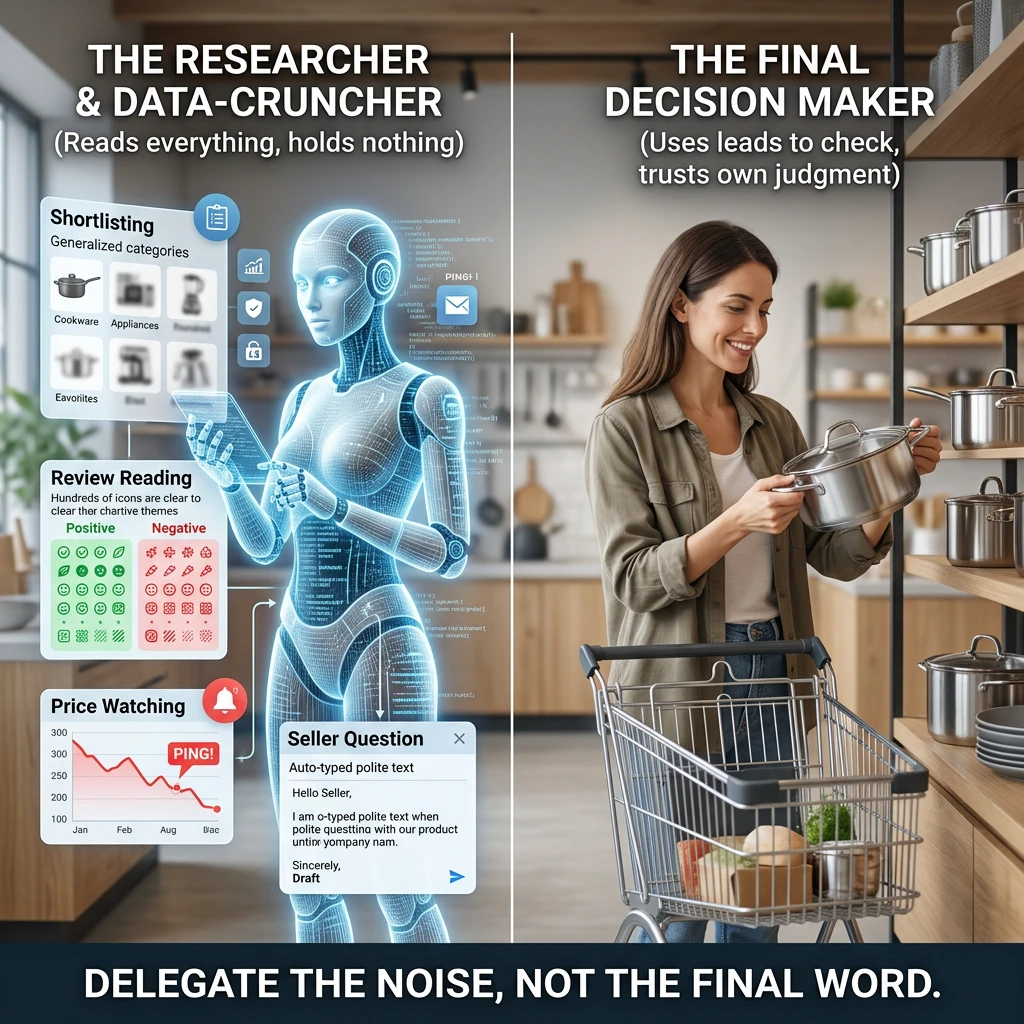
Think of an AI assistant as a very fast, very eager shop assistant who has read a lot but has never held the product. That description tells you what to delegate.
It is good at four jobs:
- Shortlisting: turning “I need something for my kitchen” into three or four categories worth looking at.
- Review reading: grouping hundreds of opinions into themes so you see the pattern instead of the noise.
- Price watching: helped along by browser tools that log prices and ping you when they drop.
- Seller questions: drafting a clear, polite message when a listing leaves out the one detail you care about.
It is poor at being the final word. Everything it tells you about a specific product is a lead to check, not a fact to trust. Keep that sorted in your head and the rest of this post is just technique. ☕
Turn a vague wish into a shortlist and,prompt an assistant like a personal shopper
A human personal shopper asks questions before pulling anything off the rack. Your prompt should hand over the answers up front, or better, invite the assistant to ask them.
Say you are shopping for a friend who “has everything and loves tea”. Typing “gift ideas for tea lover” gets you the same list everyone else gets: a mug, a sampler, an infuser. Try giving it more to work with:
I’m buying a gift for a friend who drinks a lot of tea and already owns the basics. My budget is a firm limit that I’ll state here. She likes useful things over decorative ones. Suggest five categories of gift, tell me what to look for in each, and ask me any questions that would sharpen the list.
Four details make that prompt work. It states who the gift is for, what she already owns, what you will and will not spend, and what style she likes. It also asks for categories and quality markers instead of specific products, which brings us to the first habit worth building.
Ask the assistant what to look for, then go and find the products yourself in real shops. A list of “features that matter in a kettle” stays useful for years. A list of named models might include one that was discontinued, renamed or never existed.
A second trick: ask for trade-offs. “Give me the case for and against each option” produces more honest answers than “which is best?”, because “best” invites a confident pick and “trade-offs” invites reasoning you can argue with.
Review overload? Use AI to find the pattern in 2,000 opinions
Nobody reads 2,000 reviews. Most of us read the top three, glance at the star average and hope. Here AI can genuinely do what you cannot.
Imagine a blender with a four-and-a-half-star average and a mountain of feedback. Copy a batch of the three-star and one-star reviews into your assistant and ask:
- Group the complaints into themes and tell me which come up most often.
- Separate problems with the product from problems with delivery or packaging.
- Tell me which complaints would matter to someone who uses it daily versus once a month.
Suddenly “the lid cracked” repeated forty times looks very different from one person whose parcel arrived dented. You are using the assistant as a sorting machine, which is what it is good at.
A few cautions keep this honest. The assistant only knows what you paste in, so a sample of the angriest reviews will make every product look bad. Mix in some from the middle of the range too. Some shopping sites now show their own AI review summaries, and those are only as trustworthy as the reviews underneath them. And an assistant cannot tell you whether a review is real. A glowing batch written by a paid reviewer reads just as fluently to a machine as one from a happy customer.
So use it to find patterns, then spot-check two or three of the actual reviews that sit behind the pattern. If the summary says “battery fades quickly”, find the reviews that say so and read what they actually describe.
Price tracking and deal hunting with browser extensions
This is the part where AI is the junior partner and the browser does the heavy lifting. Price-tracking extensions record a product’s price over time and alert you when it falls. Many show a price history chart on the product page itself.
That chart answers the question a “40% off” banner never will: off what? If a price has hovered at the same figure for months and the banner suggests a huge saving, you are looking at a discount that exists mainly on the label. If the price has been lower before, you know to wait.
Here is a workable routine:
- Install a tracker and add the items you want to your watch list instead of buying on impulse.
- Set the alert at the price you would be happy to pay, not the lowest price imaginable.
- Check the price history before you trust any sale label.
- Use your assistant for the thinking part: describe what the chart shows and ask whether this looks like a genuine drop or a routine fluctuation.
With the big sales season getting closer, this habit is worth building now. Prices move around, and the “doorbuster” is not always the best price you will see.
One more warning, and it is a serious one. Extensions can see a lot of what you do in your browser, so choose them with care. I covered exactly what they can access in are shopping browser extensions safe, and it is worth a read before you install anything new. For a wider set of savings habits, save money online shopping has more.
Where AI gets it wrong with made-up specs, sponsored bias and stale info
An assistant never says “hmm, not sure.” It produces the most plausible-sounding answer, and sometimes that answer is invented. Three failure types are worth knowing by name.
Made-up specs
Ask for the battery life, dimensions, wattage or compatibility of a particular product and you may get a precise, confident number that is simply wrong. Precision looks like proof, and it is not. Anything you would be upset to be wrong about, such as whether a case fits your phone or whether an appliance fits your cupboard, needs to be checked on the maker’s own product page.
Sponsored bias
Recommendations have to come from somewhere. An assistant may draw on pages written to earn affiliate commissions, and a shopping helper built into a retailer’s own site has an obvious interest in selling you things from that retailer. None of that makes the advice useless. It means you should ask who benefits when you follow it. Ask the assistant to name the trade-offs and the cheaper alternatives, and notice whether it can.
Stale information
Assistants learn from material gathered up to a certain point, and some can search the live web while others cannot. Either way, a product may have been replaced by a newer model, a seller may have changed its policy, and any price you are quoted is out of date by definition. If you ask “is this still the latest version?” and the answer comes without a source, go and look for yourself.
None of these are reasons to avoid AI. They are reasons to keep it away from the facts and close to the thinking.
A 60-second double-check routine before you click Buy
Run this just before you pay. It takes about a minute once you have done it a few times.
- Check the spec at the source. Open the manufacturer’s page and confirm the one or two details that matter most to you. (About 15 seconds.)
- Check the date. Is this the current model? Is the information you were given recent? Look at the product’s listing for the newest version.
- Check the price history. Use your tracker. Is today’s price actually good, or just labelled that way?
- Read two reviews yourself. Pick one recent critical review and one recent positive one. Do they describe the same product your summary described?
- Check the seller and the returns. Who is actually selling this, and how easy is it to send back if it is wrong?
- Ask who profits. Is this recommendation coming from a source that earns when you buy?
If something fails a step, you have not wasted anything. You have saved yourself a return, and returns are the most annoying part of online shopping. 😏
Build your own shopping helper and why custom GPTs and browser extensions are the next step
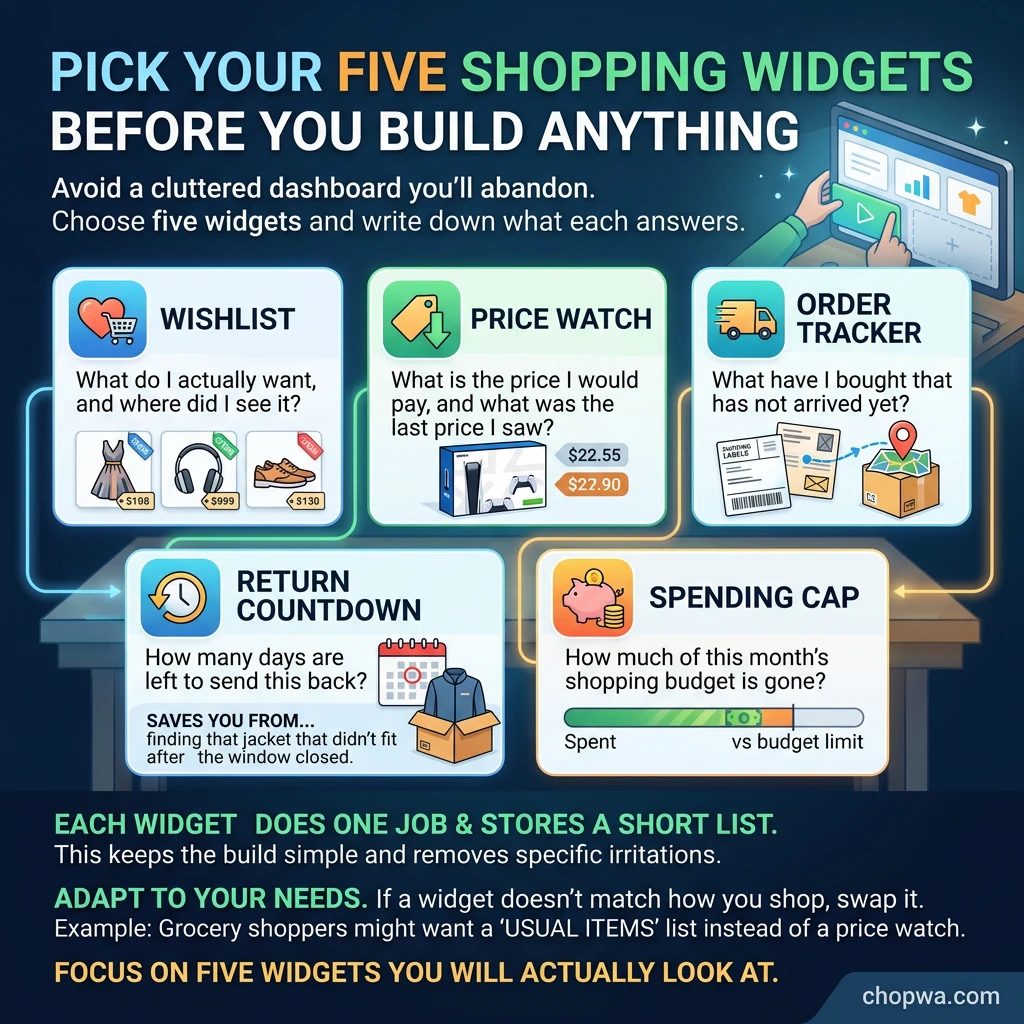
Every prompt in this post can be saved. Once you notice you are typing the same instructions repeatedly (your budget style, your dealbreakers, the shops you trust, the format you want the answer in), it makes sense to bundle them into a reusable helper.
There are two routes, and both are friendlier than they sound:
- A custom assistant: many AI platforms let you save a set of standing instructions, so every chat starts with your rules already in place. For example: always give trade-offs, never state a spec without telling me to verify it, and keep a list of what to check before buying.
- A browser extension: this lives where you shop. It can show price history, flag a deal, or pop up your checklist when you reach a checkout page.
The advantage of building your own is control. You decide what the helper knows about you, what it is allowed to do, and what it must always remind you to check. A helper that nags you to verify the spec is more useful than one that confidently tells you it is fine.
You do not need to be technical to start. You need a clear idea of what you keep doing by hand, and that is exactly what a shopping habit is.
Come back for the next post
The next post on Chop Wah shares a custom shopping helper I am building, so come back to see how it takes shape and to pick up ideas for your own.
If you are a brand or affiliate interested in partnering on shopper-friendly AI tools, get in touch. I would like to hear from you.